The securities table of the portfolios previously mainly contained capital gains as a performance metric in the selected viewing period. Users can now show and hide additional columns via a context menu to adapt the table to their own strategy.
Column Context Menu
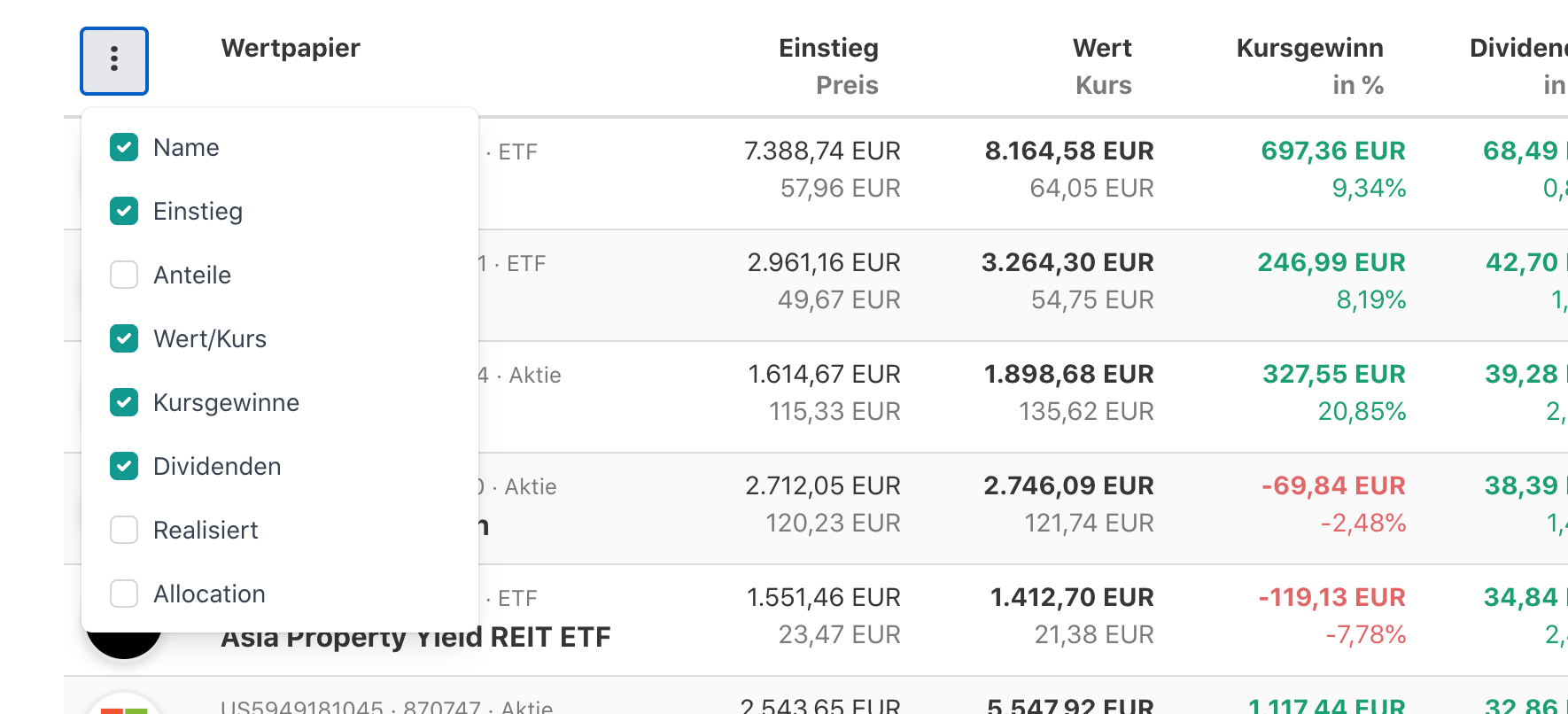
Select the columns relevant to you via the context menu and customize the table according to your preferences. Dividend strategy? Trader focused on selling profits? Growth investor focused on capital gains? Logos are enough - names don't matter? Any combination is possible.
With Dividend Column
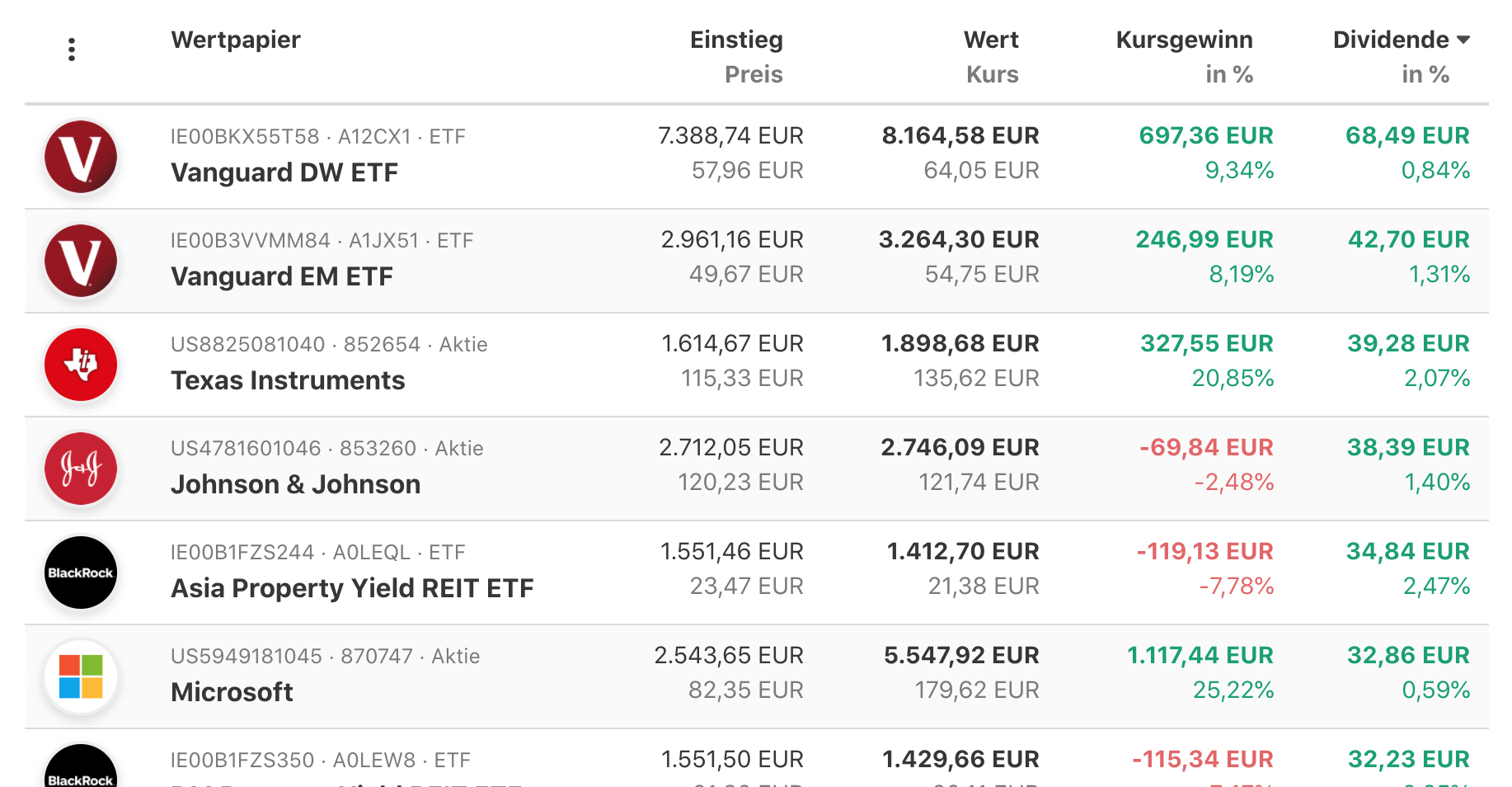
The selected configuration is saved per portfolio and serves as the default column configuration when loading the portfolio - also for guests of public portfolios. In public portfolios, guests can change the column configuration to further explore the portfolio for themselves, but these changes are not saved. When reloading the portfolio, the defaults set by the portfolio owner apply again.
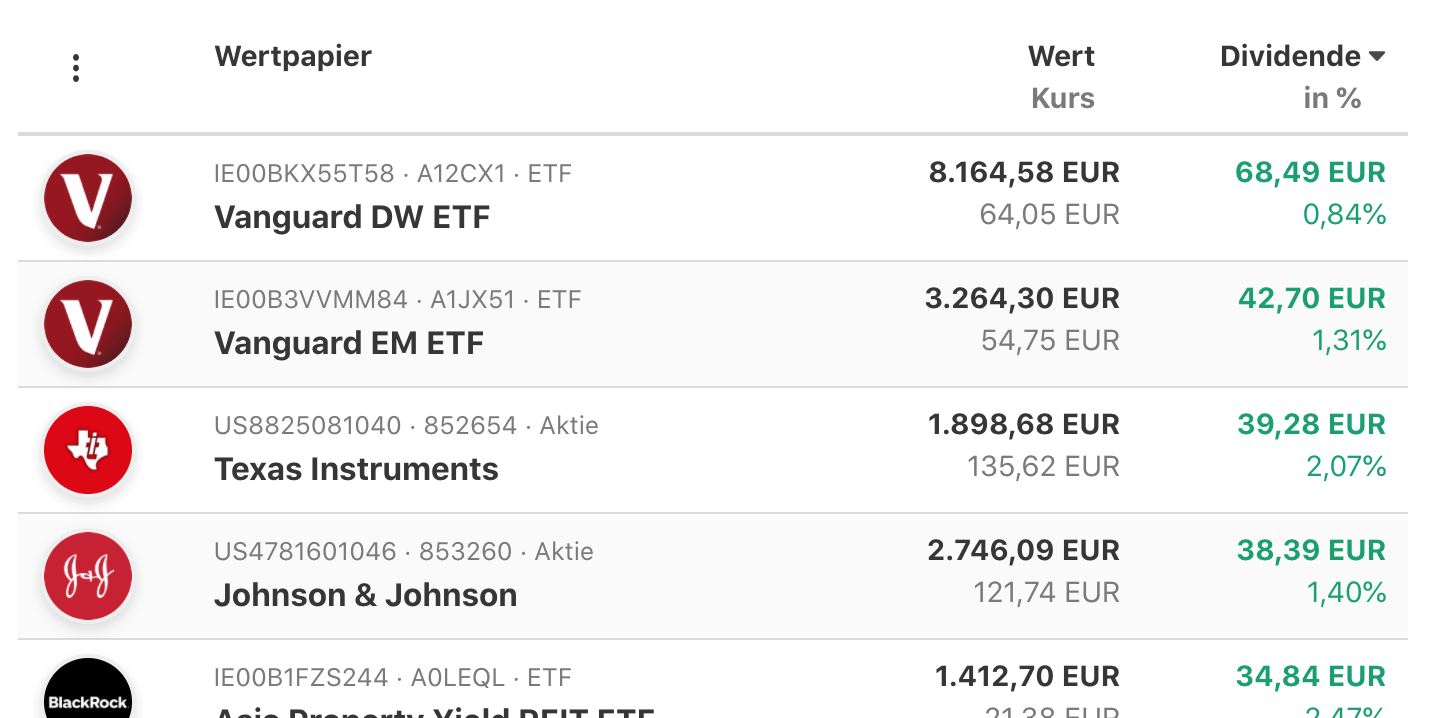
Reduced Column Display
We are constantly working on improvements for your portfolio tracking and visualizations. Let us know your feedback on this update in the related community post. We look forward to hearing from you.