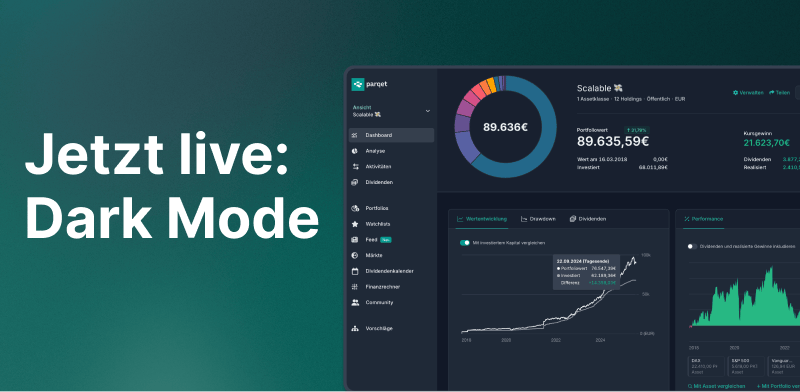
We are very excited to announce a long-awaited feature today: Dark Mode in the Parqet web app! After intensive development work, this feature is now available to all Parqet users.
How Do You Activate Dark Mode?
Activation is very simple:
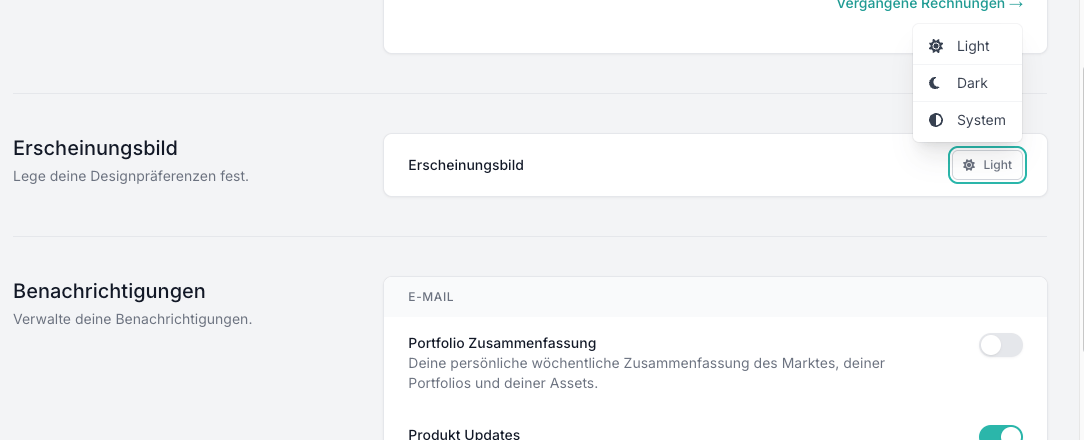
- Go to your account settings.
- Click on "Light" in the "Appearance" section and select "Dark".
- Dark Mode is activated immediately!
What Can You Expect in Dark Mode?
Parqet's Dark Mode offers a pleasant display with light text and elements on a dark background. All functions remain unchanged but appear in an eye-friendly design. The experience is noticeably more comfortable, especially in the evening hours or in low light conditions.
We hope you enjoy the new Dark Mode!
New to Parqet?
At Parqet, we work every day to remove barriers to wealth building. We build tools that allow you to keep track of your portfolio effortlessly, whether at home or on the go.
See how Parqet can simplify your wealth planning, or create your free portfolio in seconds.
Create Portfolio