The Parqet Zero-Click Import now supports CSV files from extraETF portfolios. If you've been using extraETF to track your portfolio, you can now migrate your portfolio to Parqet in just a few seconds.
How to import your extraETF portfolio into Parqet
1. Export your extraETF portfolio
Requirement: To initiate the export from extraETF, a subscription with extraETF is required.
Log in to extraETF and select the portfolio you want to export. Then click on the Import/Export tab.
If you have an extraETF subscription, the export option will be available on the far right. If you want to export the activities of all your portfolios together, select "Total Portfolio".
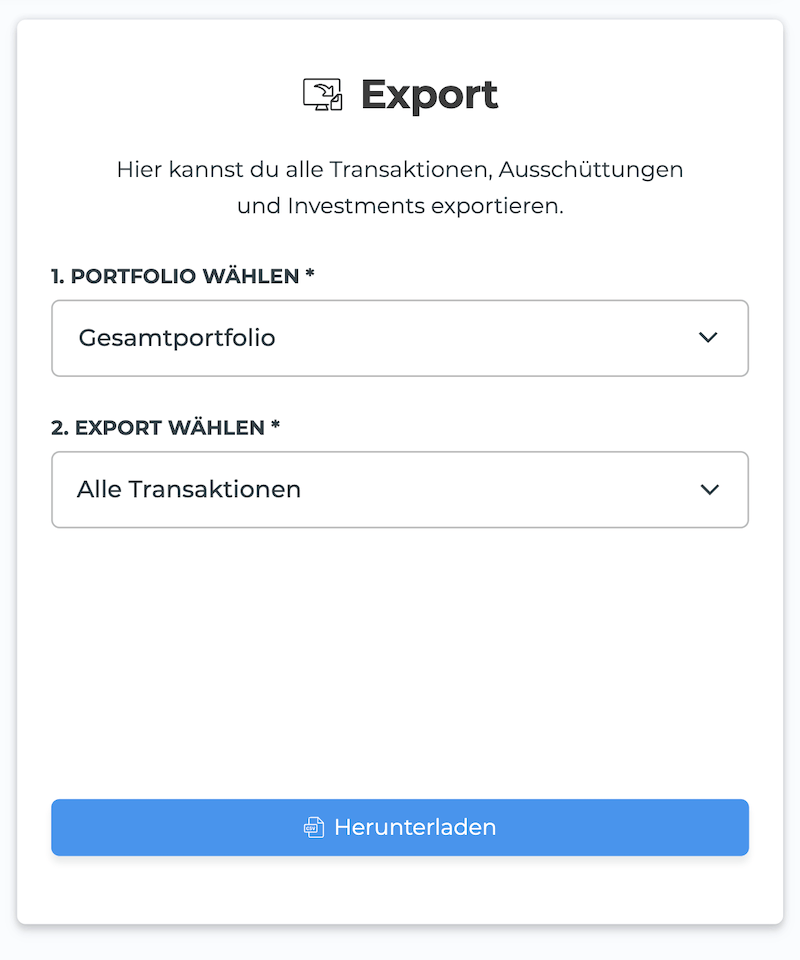
In the "Select Export" field, you can choose which activities you want to export. If you want to transfer all activities, select "All Transactions".
You can then export your portfolio using the "Download" button.
2. Import the file into Parqet
As part of the export, you'll receive a CSV file from extraETF.
Thanks to our Zero-Click Import, you can simply drag and drop the file into the dashboard. The file will be automatically read and the individual activities will be added to your portfolio.
New to Parqet?
With Parqet, we work every day to remove barriers to wealth building. We build tools that make it easy for you to keep track of your portfolio with minimal effort, whether at home or on the go.
See how Parqet can simplify your wealth planning, or create your free portfolio in just a few seconds.
Create Portfolio