Zero-Click Import now supports Interactive Brokers
 Parqet users who trade their securities with Interactive Brokers can now import their portfolio using our Zero-Click Import. To do this, a report is created in Interactive Brokers that also contains the ISIN of the companies. The import for Captrader works in a very similar way - we will also create instructions for this.
How to import your Interactive Brokers transactions into Parqet 👇
- Create an Account Statement Flex Query in your Interactive Brokers account Log in and select "Flex Queries" under Performance and Reports. Here you can create the report by clicking the plus symbol.

Enter a name for the report here, for example "Parqet".
- Selection for the report Create a report in both the Cash Transactions and Trades sections.
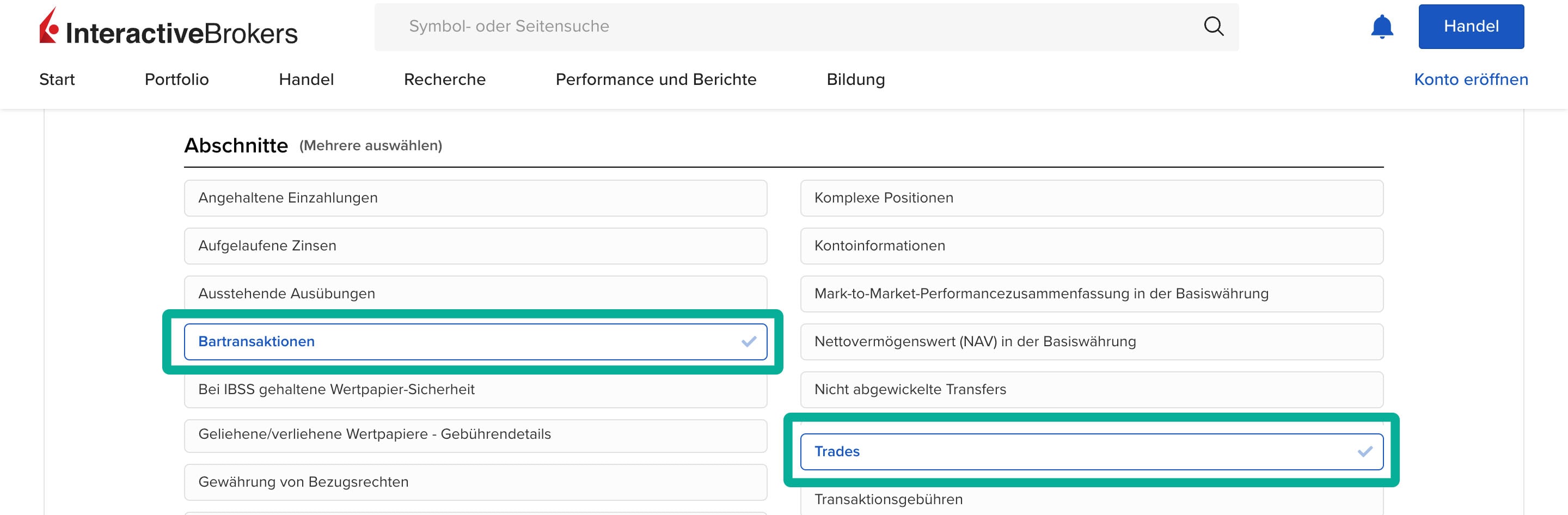
Activate all options in each case.
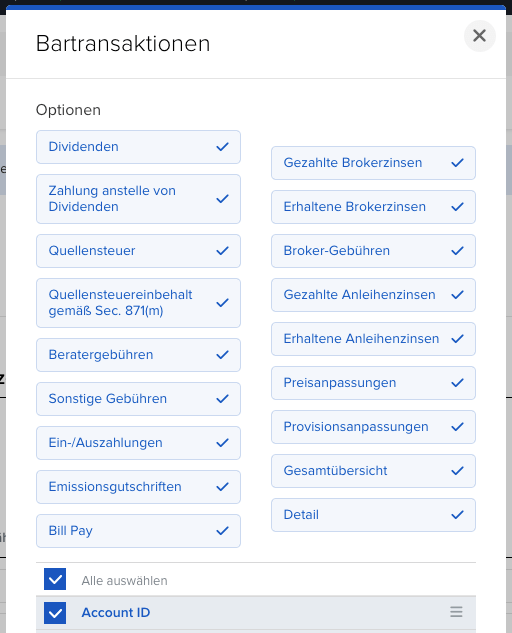
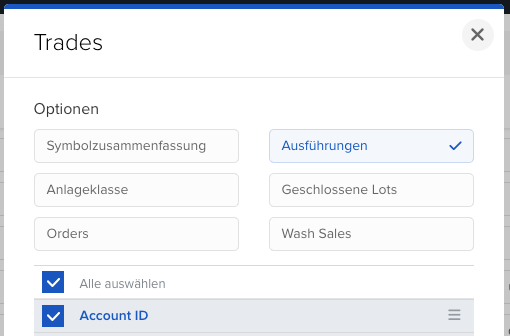
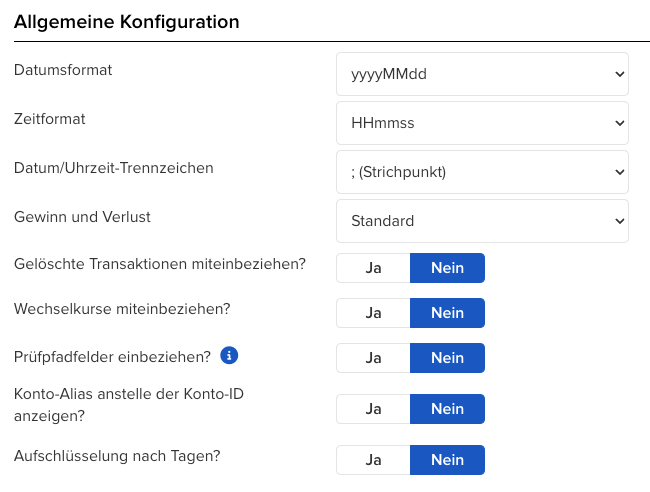
- Report options In the lower section, the report formatting still needs to be configured. Make sure that the points are set as shown in the following images.
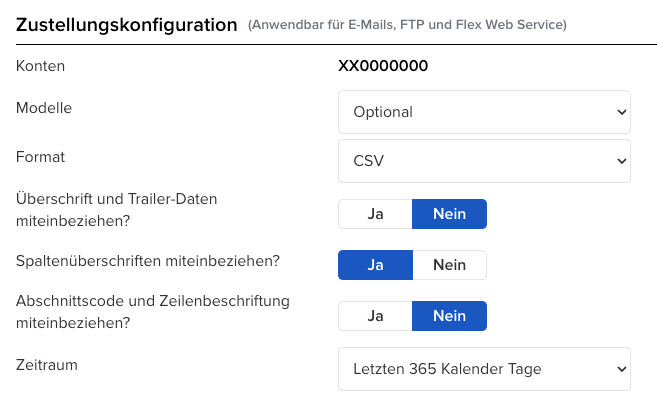
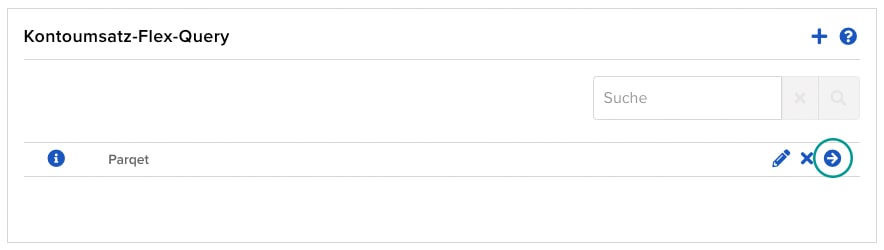
- Create report After saving, the report can be created using the arrow to the right
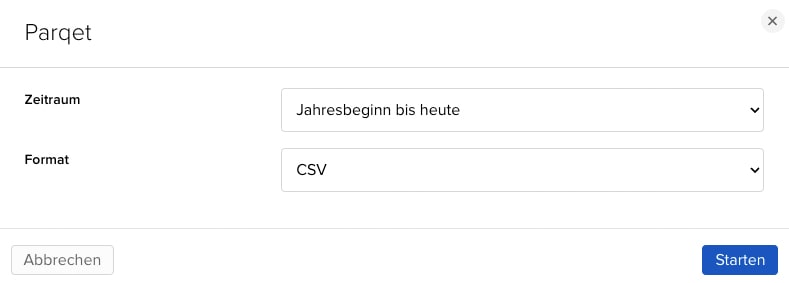
Select the time period for which you want to export the transactions. Then select CSV as the format.
- Drag the CSV file into your Parqet Portfolio The downloaded CSV file can be easily imported into Parqet via drag-and-drop. Personal data such as your name or account number are not captured.
The transactions are now imported into Parqet 💪. Your Parqet Portfolio analysis updates immediately and you can track your performance, asset allocation, dividends, value development and so much more.
Frequently Asked Questions
What happens to my personal data? During import, only the activities are read (security, price, shares, date, etc.) - no personal data is stored. The activities are thus 100% anonymous.
My PDF doesn't work - what can I do?
The Parqet import has been tested with all available PDFs. It's always possible that your PDF contains a special case not yet covered. You can anonymize your PDF via this tool and send it to us so we can improve the import 👍.
What happens if I import PDFs from other banks?
Parqet will mark unsupported PDFs and ignore them during import. So you can't do anything wrong. PDFs from other supported banks will be imported normally 👍.
When will other banks be supported?
Parqet should support as many brokers and banks as possible. However, we need PDFs to extend the import. Feel free to send us PDFs from an unsupported broker via this tool. There you can censor sensitive data beforehand and we can then extend the import.
If you have further suggestions, questions or feedback, contact us in our Community. Every message is read and we will get back to you as soon as possible if desired.