iOS and Android Widgets: Your Portfolios on the Home Screen!
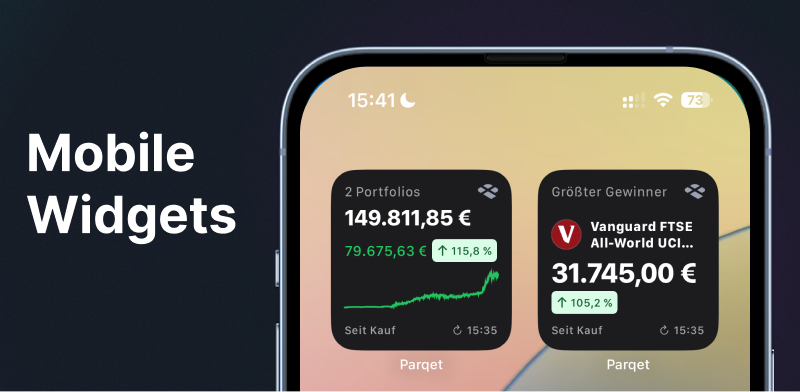
We're bringing your portfolios to the home screen! Our widgets offer you a variety of display options, for example your best position in the portfolio or your received dividends.
The widgets are available for both iOS and Android users.
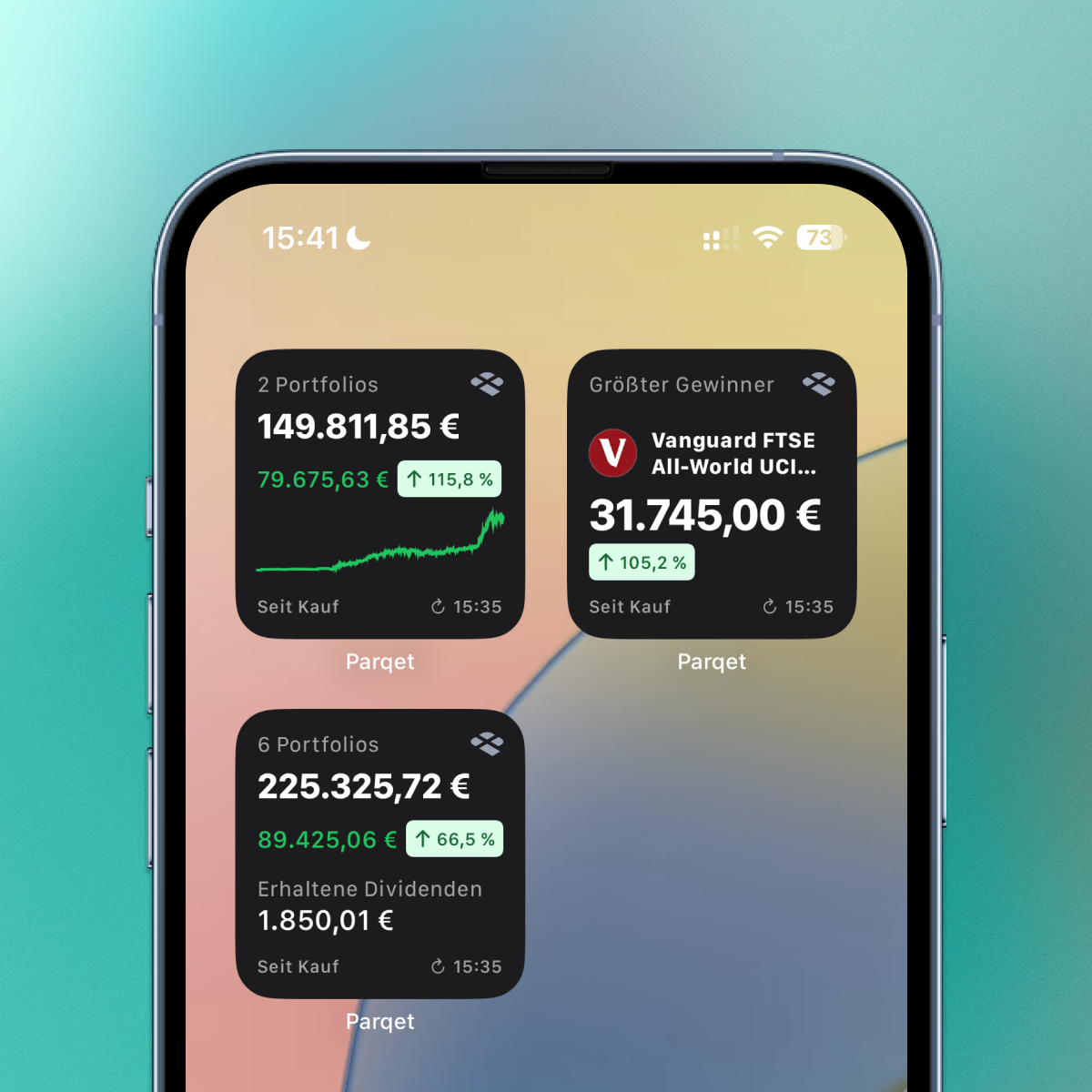
At launch, 3 widgets are available to you as a Parqet subscriber.
- Portfolio overview with total sum, chart and performance.
- Portfolio overview with total sum, performance and received dividend.
- Top Mover, the security with the highest return in the selected period.
For basic users, only widget No. 1 is available.
How to Add Parqet Widgets to Your Home Screen
For iOS:
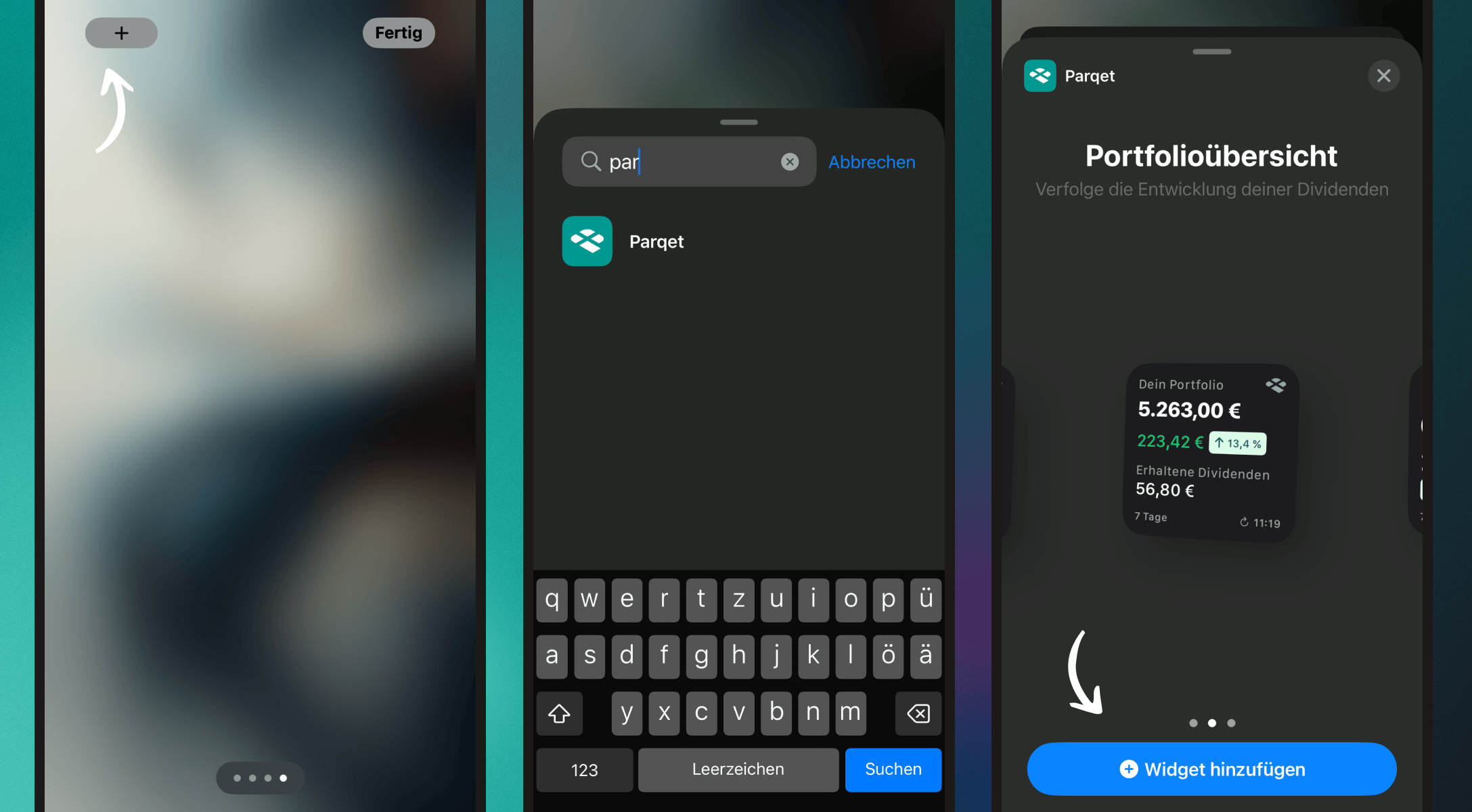
- Touch and hold an empty area on your home screen until the apps start to wiggle.
- Tap the gray "Add" button in the top left.
- Select the Parqet widget and tap "Add Widget".
- Tap "Done" in the top right.
For Android:
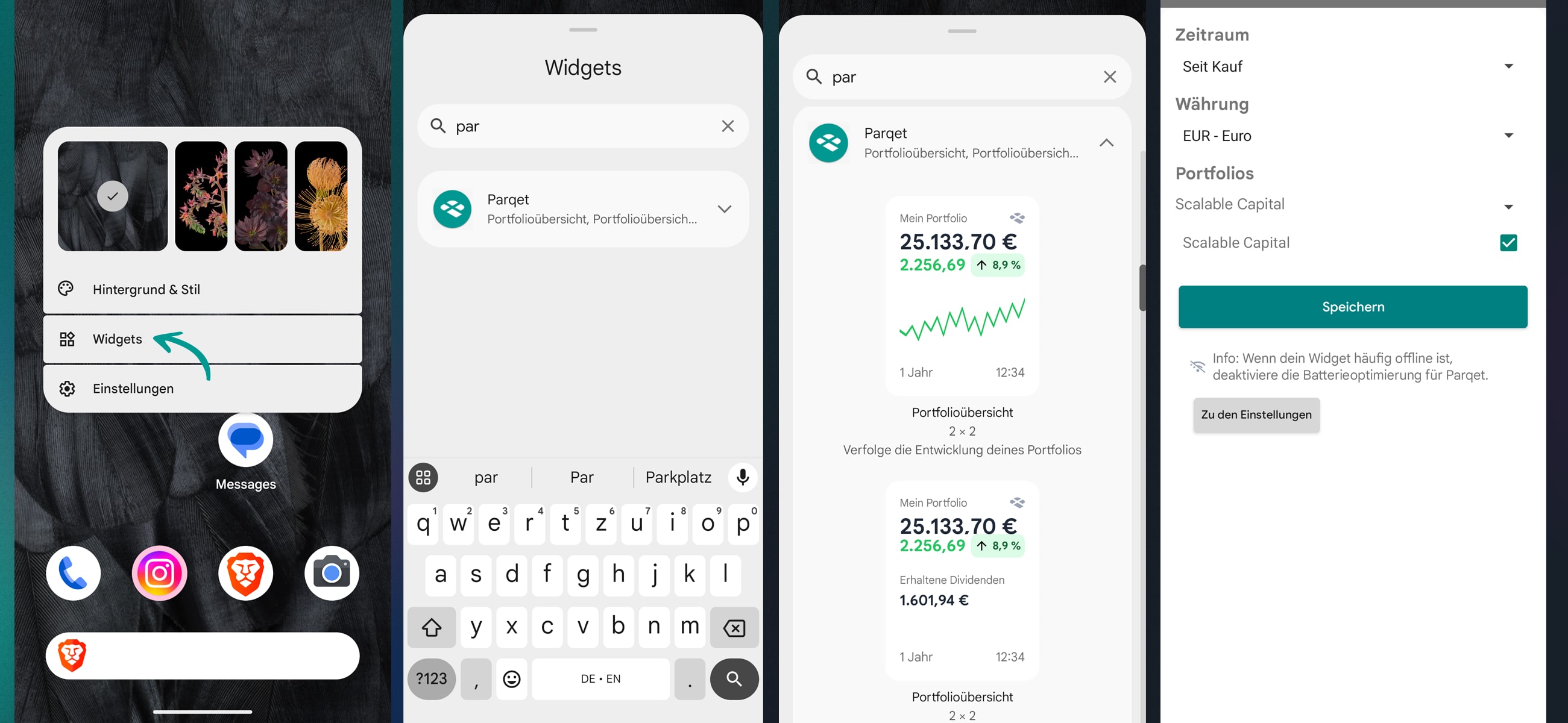
- Touch and hold an empty area on your home screen.
- Select "Widgets" from the displayed options.
- Search for the Parqet widget and hold it down.
- Drag the widget to the desired location on your home screen.
Recommended: Disable Battery Optimization
For optimal widget functionality, we recommend disabling battery optimization for the Parqet app. Here's how:
- Open your device's settings.
- Search for "Battery optimization" or "Battery".
- Find the Parqet app in the list.
- Select "Don't optimize" for Parqet.
This enables regular widget updates and prevents possible delays or failures.
Configure Parqet Widgets
You can configure the Parqet widgets and select whether only one portfolio or multiple portfolios should be displayed in the widget. You can also set the desired time period (e.g. "YTD" or "Since purchase") directly in the widget.
For iOS:
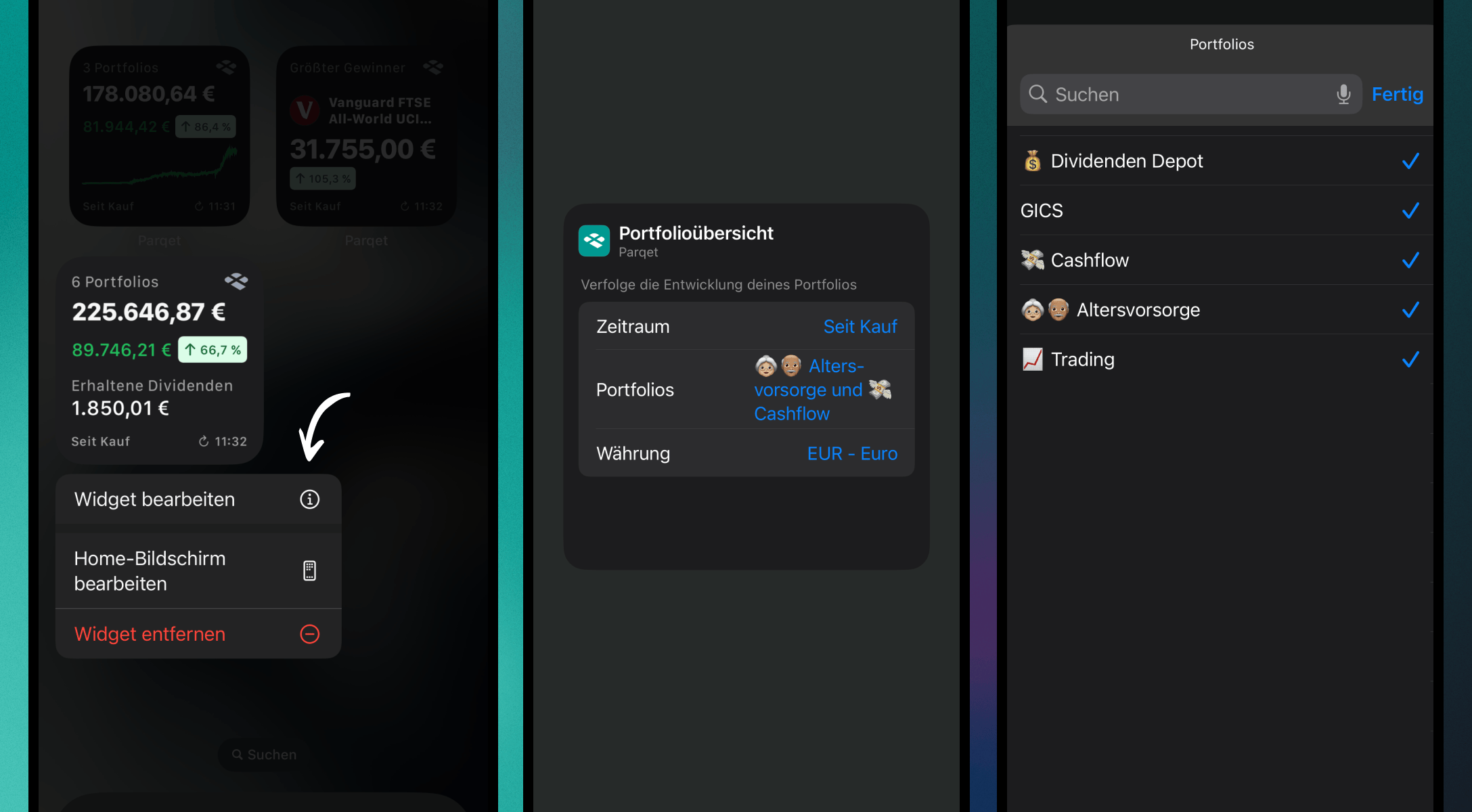
- Touch and hold the widget to open the menu.
- Tap the "Edit Widget" icon.
- Make your adjustments and then tap outside the widget to finish.
For Android:
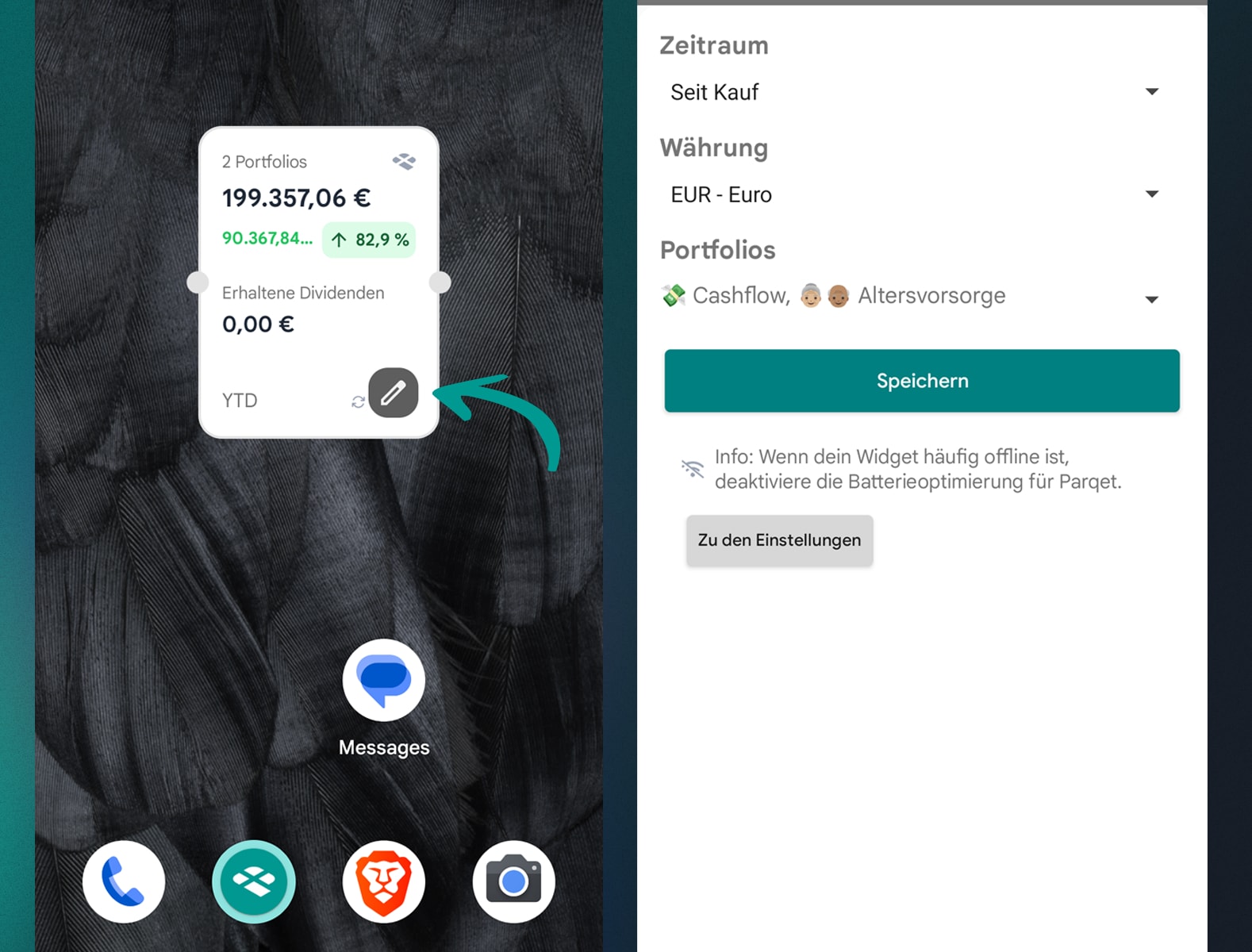
- Touch and hold the widget on your home screen.
- Tap the settings icon or "Edit Widget" (depending on your device).
- Make your adjustments and confirm the changes.
Add Parqet Widgets to Standby (iOS only)
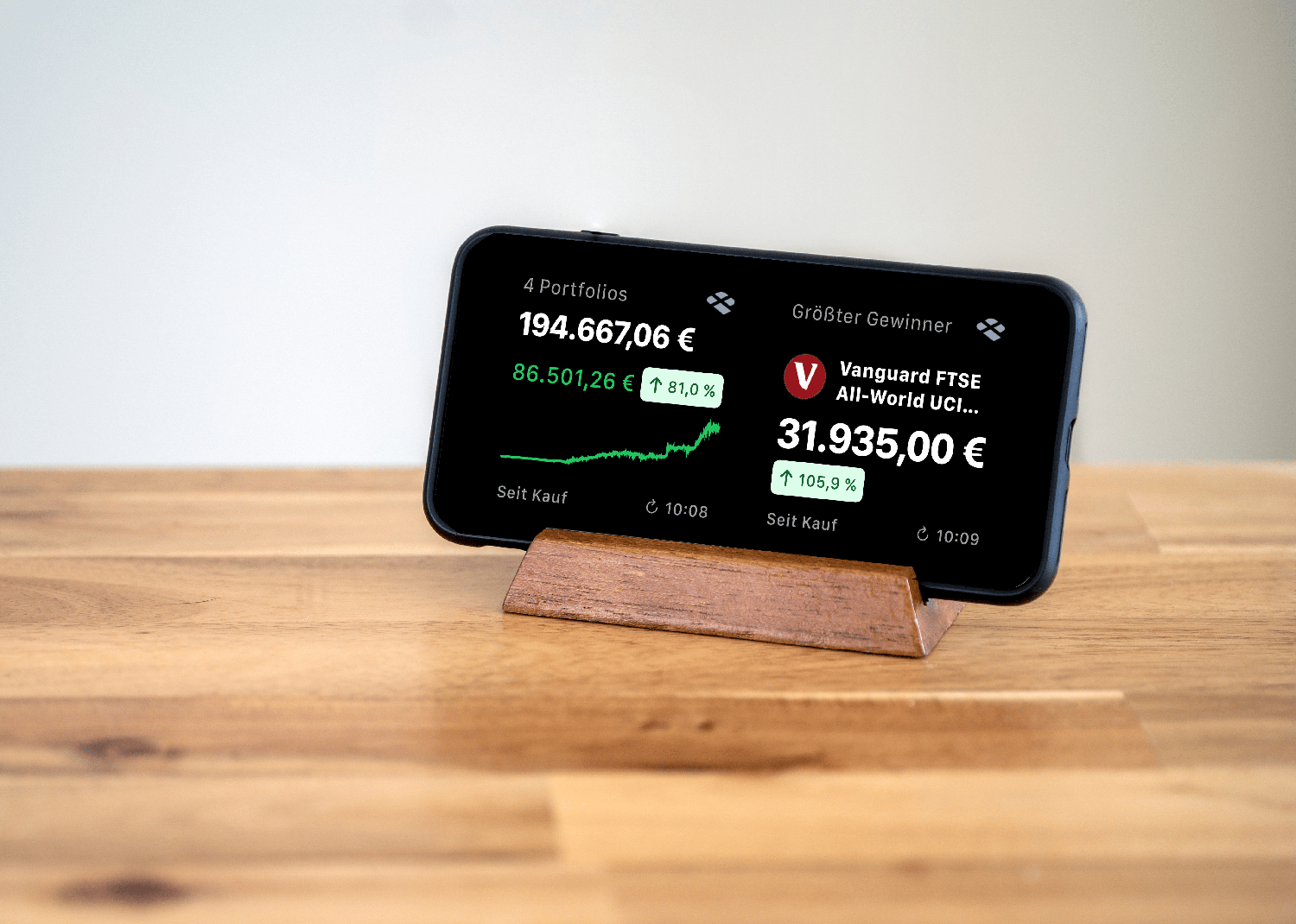 You can also use your iPhone in standby mode as a display for Parqet widgets. Learn how to activate and edit standby on your iPhone here.
Frequently Asked Questions
How often are the widgets updated?
Widgets are automatically updated every 15 minutes by default under iOS. Under Android, the update rate can vary depending on system settings and battery usage. By default, they are updated every 30 minutes under Android. The time can also increase if the widget has not been viewed for a long time or was not in focus, this is controlled by the operating system automatically.
Which iOS version do I need to use the widgets?
To use the widgets under iOS, at least iOS 17.2 is required.
Which Android version do I need to use the widgets?
The widgets are available for Android devices from version 8.0 (Oreo).
How can I customize the background color of the widget?
The background color is based on your smartphone's system settings. You can switch between "Light" and "Dark" under iOS and most Android devices in the settings under "Display & Brightness".
Will there be more widgets?
We plan to offer more widgets for iOS and Android in the future. Feel free to give us feedback!
I'm having problems updating my Android widget. What can I do?
Many Android devices have battery optimization enabled by default, which can lead to problems with widget updates. To fix this:
- Go to your device's settings.
- Search for "Battery optimization" or "Battery".
- Find the Parqet app in the list.
- Make sure "Don't optimize" is selected for Parqet.
This should enable regular widget updates.
We Look Forward to Your Feedback!
Your feedback is very important to us. If you have questions about the widgets or suggestions for additional features, we'd love to hear from you - via our contact form, in the corresponding community post or in our feature voting tool.
New to Parqet?
With Parqet, we work every day to remove barriers to building wealth. To do this, we build tools that allow you to keep track of your portfolio with little effort, whether at home or on the go.
See how Parqet can simplify your wealth planning, or create your free portfolio in seconds.
Create Portfolio