New Cash Flow Representations, More Details About Your Securities and Support for Peaks
With today's update, we have expanded and improved the web app in several areas. In addition to some new features, this release also fixes bugs in the import of PDFs from onvista bank, Scalable Capital and Trade Republic. Furthermore, the Zero-Click Import now supports another broker with Peaks.
Here are the details 👇
Invested Capital and Historical Price Gains in the Performance Chart
In the performance chart on the portfolio dashboard, you could previously view the development of your portfolio value. A much-requested feature from the Community was to decouple the value development from the invested capital, so that the performance becomes more visible. We are addressing this request with this update.
The comparison can be hidden via a checkbox.
The performance chart now shows you your invested capital in addition to the total value development. This allows you to see at a glance when you invested how much, and how your portfolio value has developed. The display of invested capital can be easily hidden using a checkbox.
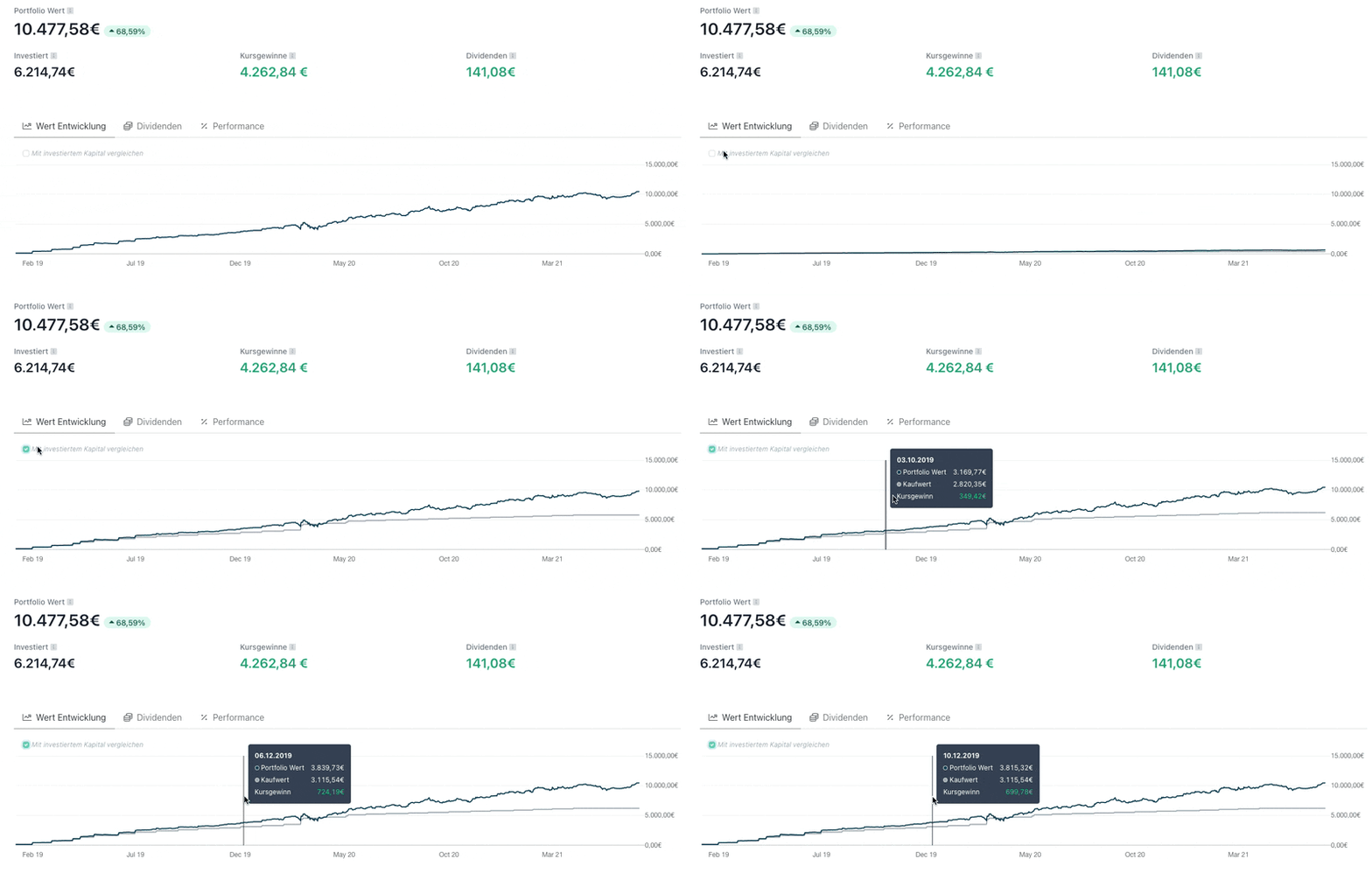
Through a tooltip in the chart, you get a summary for each day of how much capital you invested on that day, and how high your price gains were up to that day. Note that the purchase value shown in the chart displays the invested capital up to that point in time. This differs from the "Invested" value, which is displayed above the chart and shows your invested capital in the selected time period.
Overview of Monthly Cash Flows for Plus and Investor Users
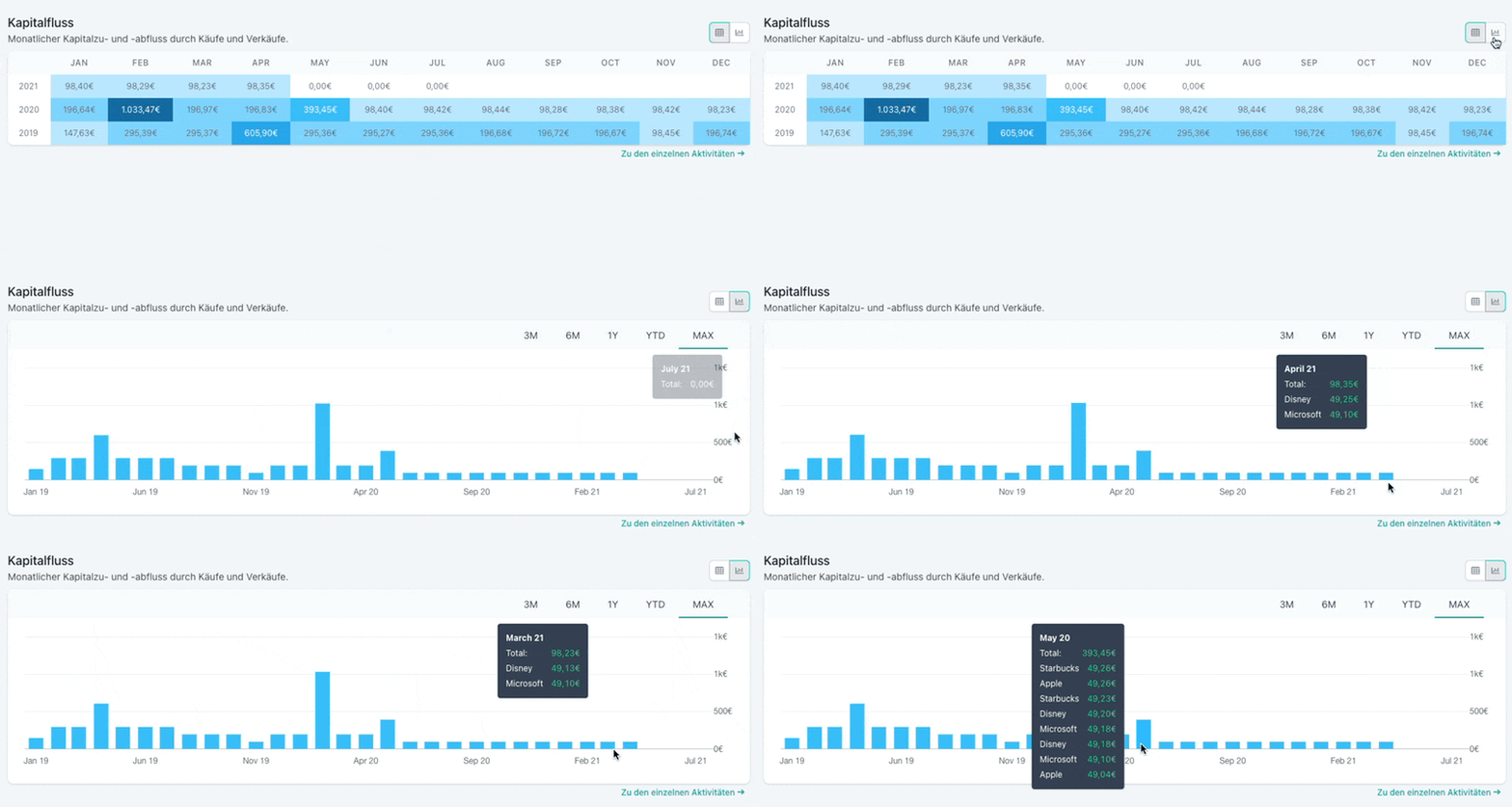
On the analysis page, Plus and Investor users now get insight into the monthly cash flows. This was also one of the most requested features in the feedback voting. You can choose to display the monthly invested or withdrawn capital in table form or as a bar chart. This way you can see at a glance in which month you invested how much capital and in which securities.
Starting Value as New Column in the Securities Table
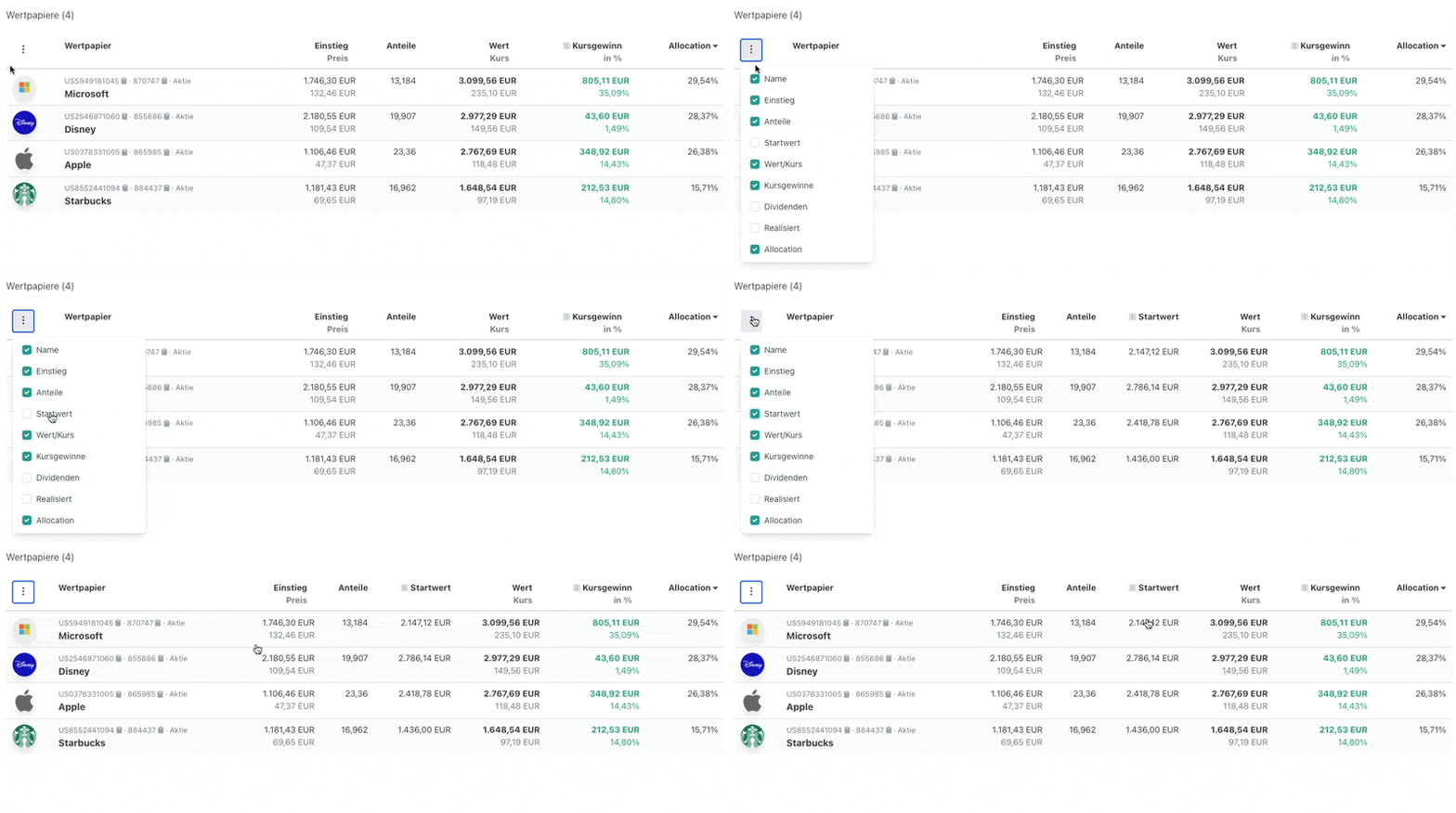
In your securities table, you can now display another column with the "Starting Value". This shows you the value of your positions at the beginning of the selected time period. For example, if you select a time period of 7 days, the starting value gives you the value of your positions from 7 days ago. The column can be shown and hidden via the context menu as usual.
New Version of PDF Import: Bug Fixes for Existing Brokers and Support for Peaks
Parqet's Zero-Click PDF importer now also supports Peaks. In addition, some bugs for existing brokers have been fixed in this update.
Zero-Click Import for Peaks
As of now, Parqet supports the PDF import of statements from the broker Peaks. The import works as usual: The statements are downloaded from the Peaks app and can then simply be dragged and dropped into Parqet.
Bug Fixes for onvista bank, Scalable Capital and Trade Republic
Due to changes in the statements on the part of onvista bank, Scalable Capital and Trade Republic, the Zero-Click Import for the three brokers temporarily did not always work correctly. These bugs are now fixed, so there should be no more problems with the import.
We are pleased to implement much-requested features with the new representations and analysis options and hope they bring you as much joy as they bring us on the team. How do you like the new charts? Discuss in our community.
New to Parqet?
With Parqet, we work every day to remove the barriers to wealth building. To do this, we build tools that allow you to keep track of your portfolio with little effort, whether at home or on the go.
See how Parqet can simplify your wealth planning, or create your free portfolio in seconds.
Create Portfolio