Taxes & Fees: New Activity Type for More Precise Portfolio Management
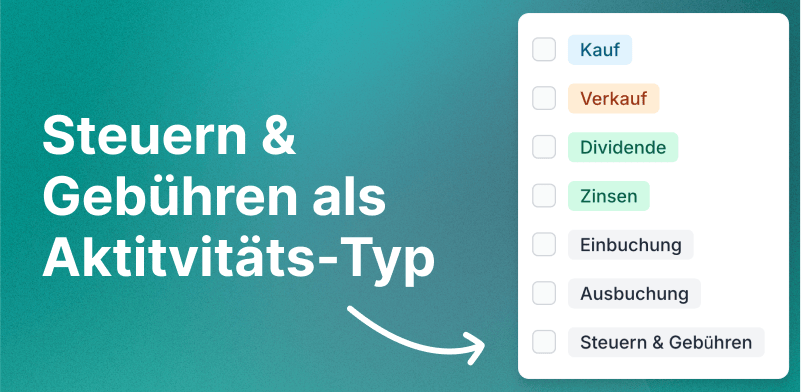
We are pleased to announce a new activity type at Parqet: Taxes & Fees as a separate activity is now available to all users. This new activity type allows you to manage taxes and fees in more detail and to map and analyze your portfolio even more accurately.
Taxes & Fees as a standalone activity
With the introduction of Taxes & Fees as a standalone activity, we offer you more flexibility and accuracy in managing your depots and finances. This new activity type is now officially available after being in high demand from our community in feature voting.
Benefits of the Taxes & Fees feature
- Precise financial management: Enter taxes and fees independently of transactions to get a more accurate overview of your actual costs.
- Multi-currency support: Specify taxes and fees in different currencies to effortlessly manage international investments.
- Flexibility in assignment: Link taxes & fees directly to holdings such as securities, cash accounts, precious metals, or cryptocurrencies without necessarily coupling them to specific transactions.
How to use the new Taxes & Fees feature
Adding taxes & fees is simple and intuitive. Follow these steps to get started:
1. Add new activity
Click the + New Activity button in your dashboard or anywhere within your holdings.
2. Select category
Choose Taxes & Fees from the list of available activity categories.
3. Select holding
Select the corresponding holding to which you want to attach the taxes or fees (e.g., security, cash account, precious metal, crypto).
4. Enter details
- Amount: Enter the amount of the tax or fee. For refunds, use negative values.
- Currency: Select the desired currency.
- Note: Add an optional description to explain the type of tax or fee in more detail.
5. Save
Click Save to add the activity. The taxes & fees will now be displayed in your portfolio and considered in your analyses.
Use cases
Custody fees
Enter your monthly custody and account management fees directly under your cash account to keep an accurate overview of your ongoing costs.
Financial advisory costs
Record the costs for financial advice or wealth management as separate fees. This way you can always see how much you spend on your advisory services.
Trading flat rates
Keep track of the costs for trading flat rates by creating them as fees under your crypto holding. This helps you accurately track the total costs of your trading activities.
Taxes on capital gains
Link your taxes on capital gains directly with the corresponding securities to ensure accurate calculation of your tax burden. Retroactive tax calculations can also be recorded here.
Advance flat-rate tax on ETFs
The new activity type significantly simplifies the booking of the advance flat-rate tax for ETFs. Instead of assigning the tax to a specific transaction, it can be assigned directly to the ETF holding. To do this, simply enter the tax amount of the advance flat rate and select the corresponding ETF holding. The advance flat rate is then correctly considered in your tax overview without being incorrectly assigned to a transaction.
The advance flat-rate tax is usually due at the beginning of January of a new year for the previous year. With the new activity type, you can now transparently and correctly represent this tax payment in your portfolio.
Managing refunds
In addition to the usual taxes and fees, you can also enter refunds directly under the corresponding holdings:
- Refer a friend: Enter credits from referral programs as refunds.
- Fee refunds: Manage refunds of trading fees by your bank or broker.
- Tax credits: Record income tax refunds or offsets in connection with your capital gains. Further examples and detailed instructions on the various fees and refunds can be found in our FAQ section.
Plans and outlook
After the successful introduction of the Taxes & Fees activity type, we are already working on integrating this information into Autosync. This will automatically provide automatically captured transactions with the corresponding taxes and fees in the future without manual intervention.
Frequently asked questions
Do you still have questions about recording taxes and fees? In our FAQs you will find detailed explanations and examples on:
- Fees that are independent of transactions (e.g., trading venue fees, service fees, trading flat rates)
- Refunds and credits
- Specific use cases for precious metals, cryptocurrencies, and various tax types
New to Parqet?
With Parqet, we work every day to remove barriers to wealth building. To do this, we build tools that allow you to keep track of your portfolio without much effort, whether at home or on the go.
See how Parqet can simplify your wealth planning, or create your free portfolio in just a few seconds.
Create Portfolio