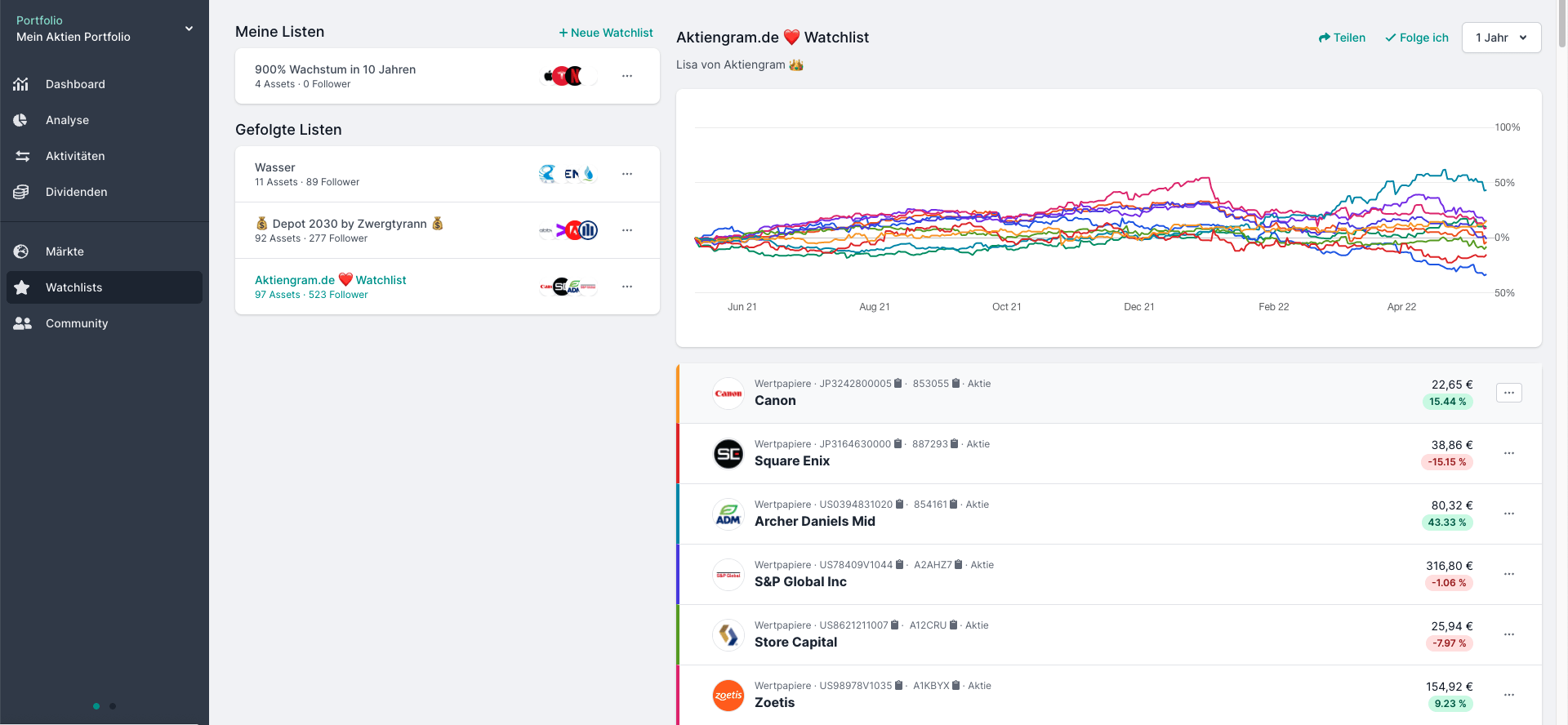
 With Parqet's latest update, we're fulfilling the feature request for watchlists: From now on, watchlists can be created in Parqet.
In the watchlist, you can observe securities that are not (yet) in your portfolio. As with regular portfolios, we developed the watchlists with the community idea in mind: Watchlists can be shared publicly if desired. You can also follow public watchlists.
Here are the details 👇
How to Create Your Stock or Crypto Watchlist in Parqet
You can easily create a watchlist with a free Parqet account.
Basically, a watchlist is excellent for observing stocks and other assets whose development you're very interested in. You can access your watchlist overview directly from the main navigation. In the overview, you can see at a glance how many watchlists you've created, which watchlists you're following, and how many other investors are following your watchlists.
To create a new watchlist, click on the "+ New Watchlist" button. You can give each watchlist its own name and description. You can also decide whether your watchlist should be publicly visible or not.
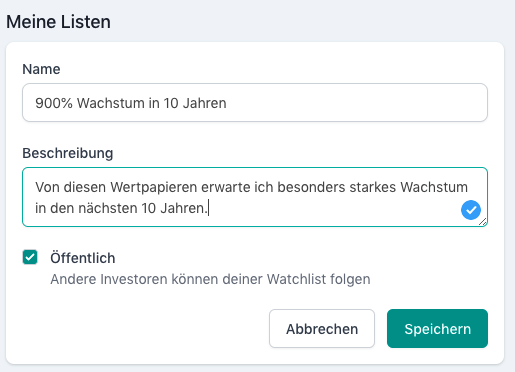
In the free basic version of Parqet, you can create one watchlist. In the Plus and Investor versions, you have up to 5 watchlists available.
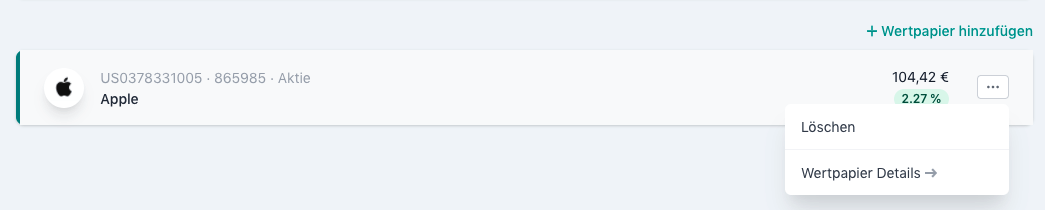
Once you've created your watchlist, you can add stocks, securities, and cryptos to the watchlist via the search. You can remove securities from the watchlist again via the context menu.
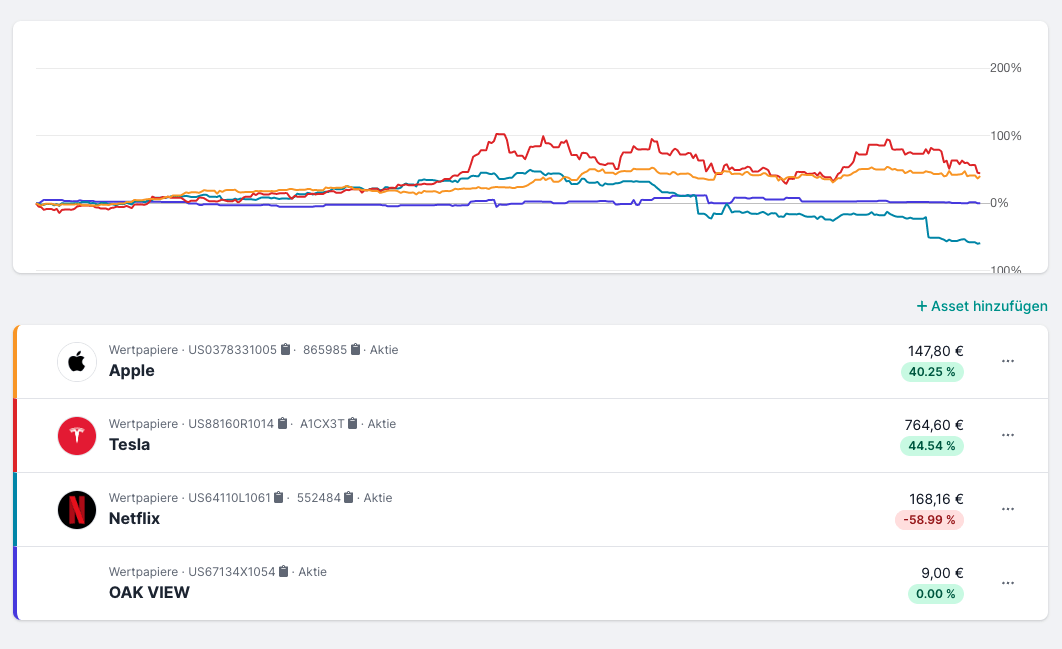
Performance Comparison of Securities in Your Watchlist
Once you've added securities to your watchlist, they will be displayed in a graph. By clicking on a value in your watchlist, you'll get to the security page with detailed security data. You can also adjust the comparison period for the performance calculation and the chart display via the % comparison button in the top right.
Share and Follow Watchlists 🤝
As mentioned at the beginning, we've also built the community idea into the watchlists. Watchlists can be shared with other users or friends and acquaintances if desired. You can also follow publicly shared watchlists.
How to Share Your Watchlist with Other Investors
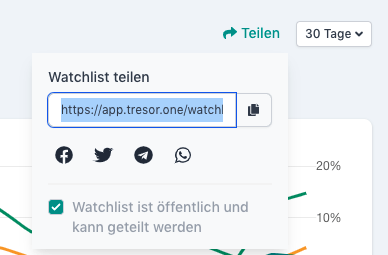
If you want to share your watchlist, simply set the visibility of the corresponding watchlist to "Public". The visibility can be changed both when creating the watchlist and later at any time in the watchlist settings. Using the "Share" button, you'll then receive the URL through which your watchlist can be accessed - even without a Parqet account.
How to Follow Watchlists of Other Investors
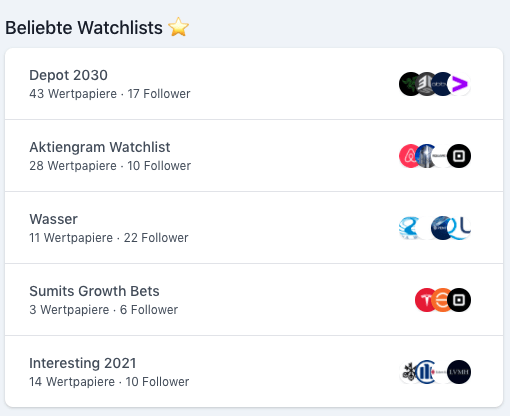
In addition to sharing watchlists, you can also follow public watchlists. When you follow a watchlist, it will be displayed in your watchlist dashboard. A post has already been created in the community where watchlists can be shared. This is certainly a good starting point for discovering and sharing watchlists.
If you see a watchlist that you find interesting, you can easily follow it by clicking on the "Follow" button. Public watchlists that are particularly popular are also displayed on the markets overview.
Share Your Feedback in the Community
With the watchlist feature, Parqet is growing with an important core function that was also frequently requested by the community. As always, we look forward to your feedback on the watchlist feature in the corresponding community post.
New to Parqet?
At Parqet, we work every day to reduce the barriers to wealth building. To do this, we build tools that allow you to keep track of your portfolio without much effort, whether at home or on the go.
Check out how Parqet can simplify your wealth planning, or create your free portfolio in seconds.
Create PortfolioFrequently Asked Questions
What is a watchlist?
With a watchlist, you can observe the price movement of stocks and other assets very comfortably. With just one click, you get the price history and performance comparisons of all stocks in your watchlist.
Where do the prices for the watchlist come from?
In most cases, we display real-time prices from the gettex exchange, which is operated by the Munich Stock Exchange. For some securities, we use other price sources such as Lang und Schwarz (L&S).
How many watchlists can I create?
In the free version of Parqet, you can create one watchlist. As a Plus user, you have 5 watchlists available, and as an Investor user, 15 watchlists.
How many assets can I add per watchlist?
You can add an unlimited number of stocks and other securities or cryptos per watchlist.